Getting Started
Discover the convenience of PickMe, your go-to color companion! Located in the taskbar notification area, PickMe offers seamless color management with just a click. Here’s how it works:
Quick View
Right-click the application icon in the taskbar notification area to open the Quick View. It’s your express lane to colors!
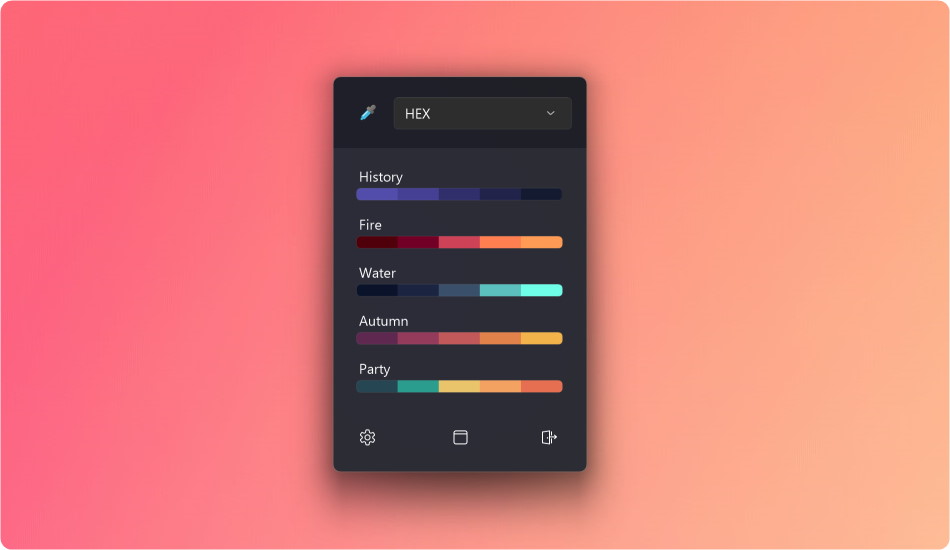
At the top of the window, choose your preferred color format. The color picker icon awaits your selection.
In the middle of the window, explore your color history and pinned palettes. Click any color to instantly pick it.
At the bottom, you’ll find essential buttons:
- Settings: Customize your experience by opening the Settings window.
- Main Window: Dive deeper into color exploration via the Main window.
- Exit: When you’re done, exit the application with ease.
Main Window

On the top part of the window you have quick acces to the color picker and the desired format. Access color history on the right.
On the left side you can select between different functions of the main window:
- Editor: Tweak colors to perfection.
- Palettes: Organize and save your favorite palettes.
- Contrast: Evaluate color combinations effortlessly.